

My Children
For parents.
On this page
- See your children
- Open your child's profile
- See your child's classes
- See your child's Journey
- See your child's attendance
- See updates about your child
- Message your child's teacher from their profile
- Request an early sign-out for your child
- See or cancel today's early sign-out requests
- What if my child isn't showing up?
See your children
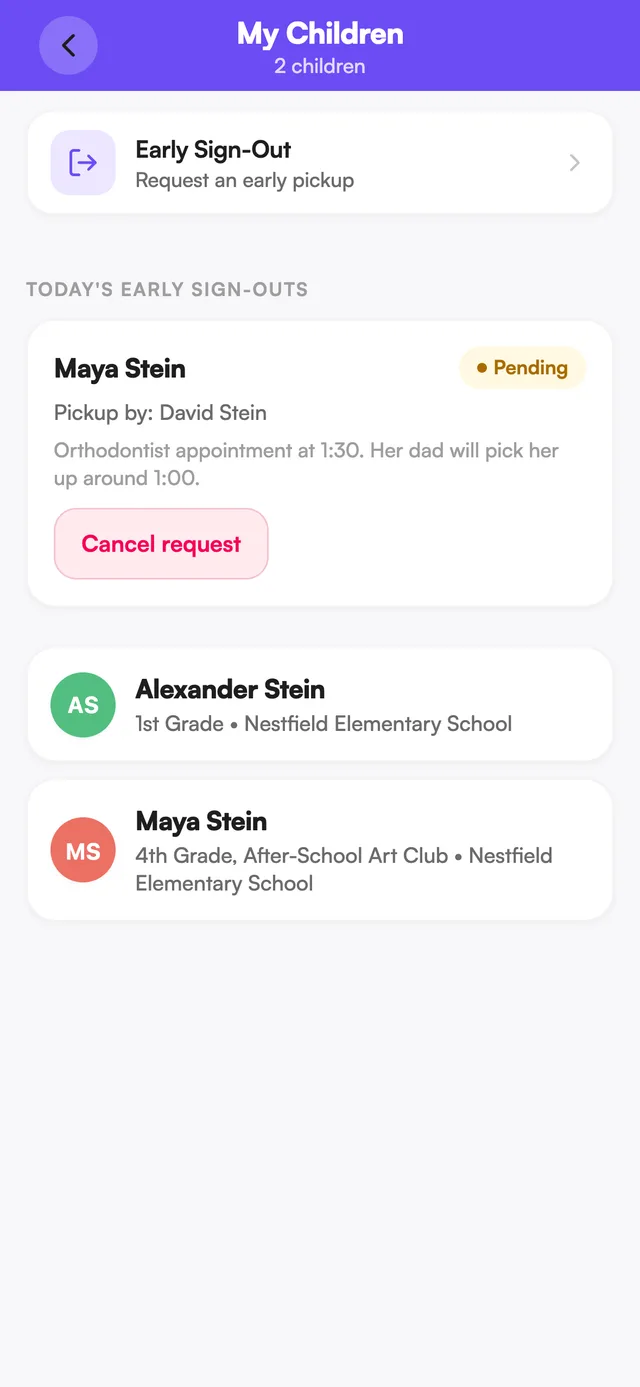
Tap the My Children tab (open the menu ☰ on phone). Each child shows their photo, name, and class.
Open your child's profile
Tap their card on the My Children tab.
The profile has four tabs: Overview, Attendance, Journey, and Updates.
See your child's classes
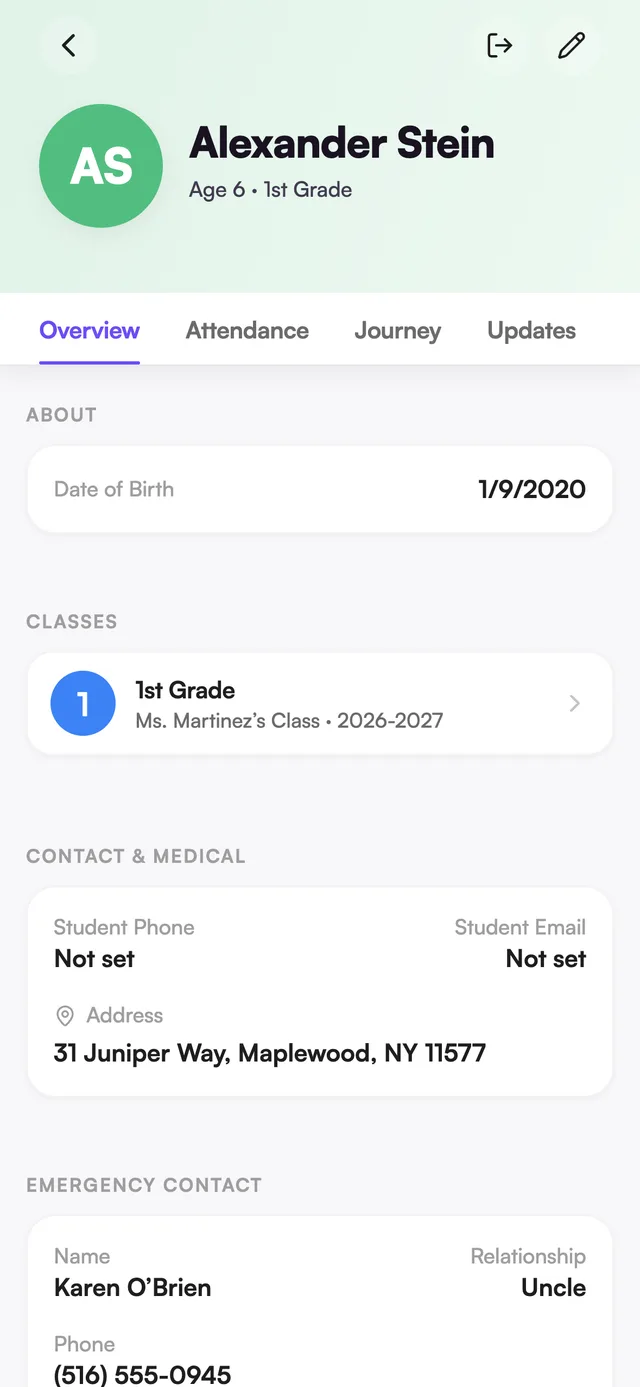
Open your child's profile. On the Overview tab, scroll to Classes — you'll see every class they're currently in. Tap a class to open it.
See your child's Journey
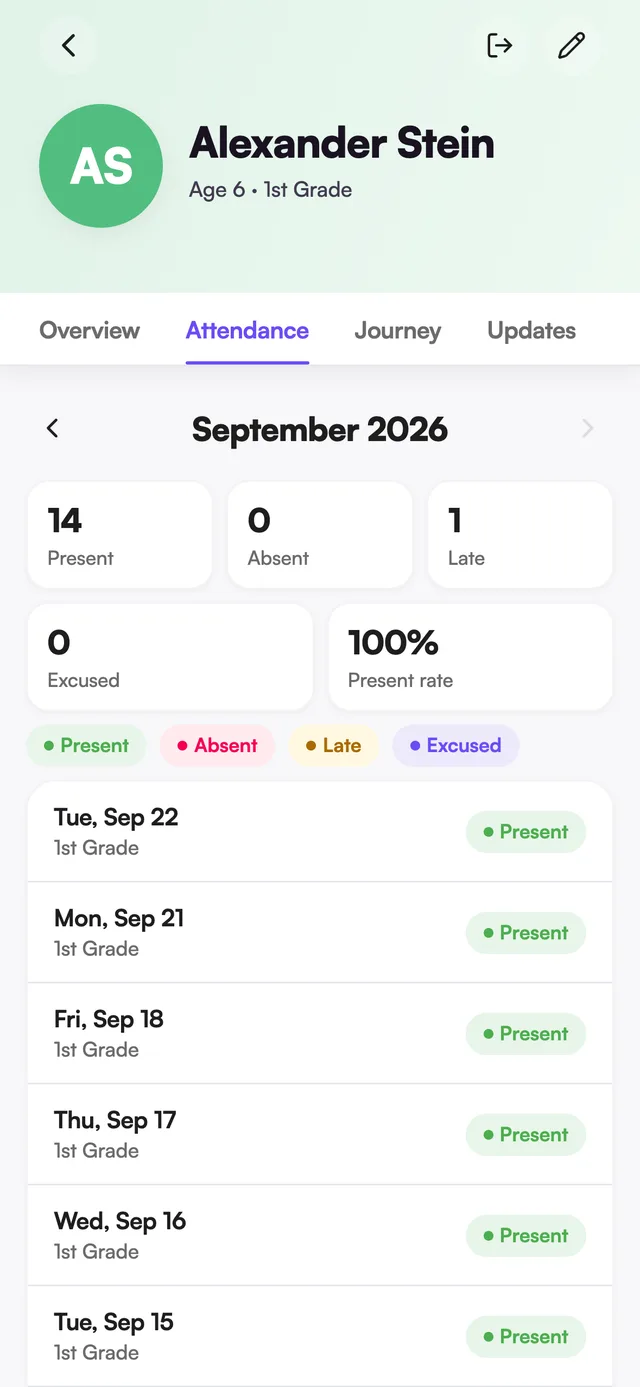
Open your child's profile and tap Journey. You'll see entries from staff — milestones, photos, awards, artwork, notes, and more — grouped by school year.
See your child's attendance
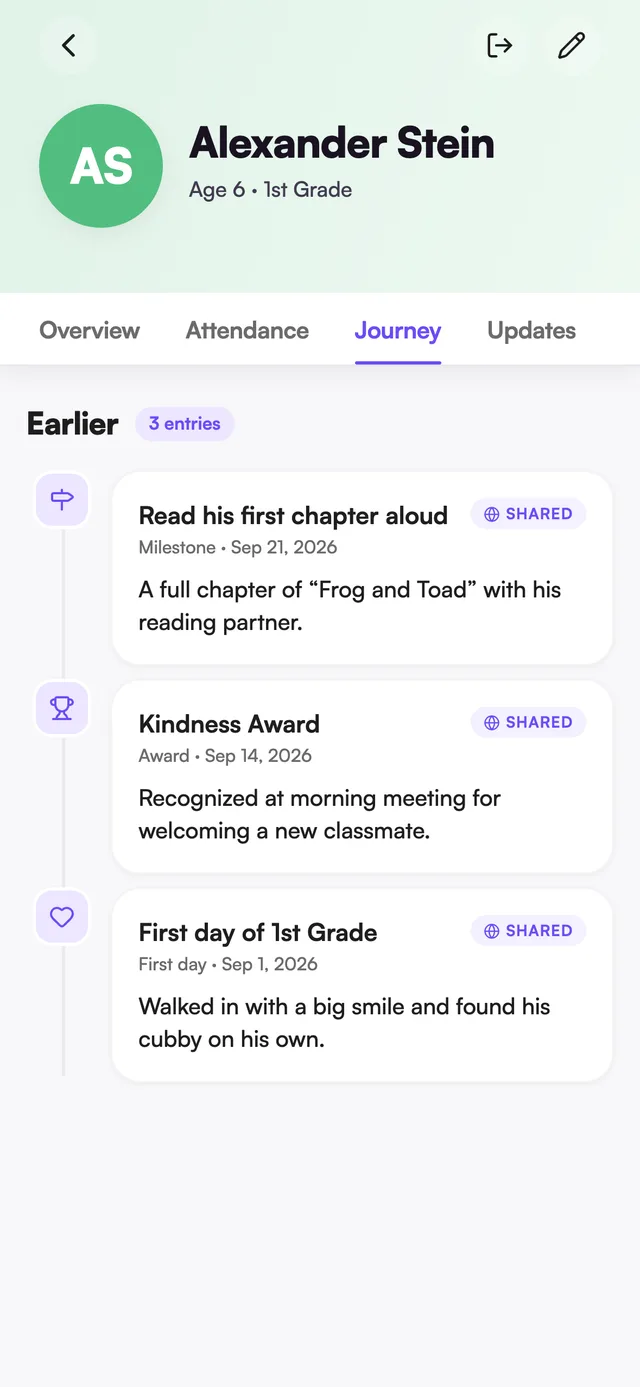
Open your child's profile and tap Attendance. You'll see a day-by-day log for the month, with a summary and a filter by status. Days your child left early show a sign-out note. Inscriti doesn’t send a notification when a child is marked absent or late, so this log is the place to check.
See updates about your child
Open your child's profile and tap Updates. This shows posts addressed to your child — whole-school posts, posts to their classes, and anything posted just to them.
Message your child's teacher from their profile
- Open your child's profile (Overview tab).
- Scroll to Teachers.
- Tap the message icon next to their name.
Request an early sign-out for your child
Let the school know your child is leaving early and who's picking them up. This sends a request — it doesn't sign your child out by itself; office staff still do that in person.
- On My Children, tap Early Sign-Out (or open your child's profile and tap the sign-out icon at the top).
- Choose which child (or children) are leaving early.
- Choose who's picking up — an approved pickup person, or Someone else with their name.
- Add a note if you want.
- Tap Notify school.
See Early Sign-Out for how the school completes the sign-out.
See or cancel today's early sign-out requests
Requests you've sent for today appear on My Children, above your children, with a status: Pending, Signed out, or Cancelled.
To cancel a pending request, tap Cancel request on it and confirm. This tells the school your child is no longer leaving early.
What if my child isn't showing up?
Contact your school office. They need to link your account to your child in their records. Make sure you signed in with the same email they have on file.
If your teacher gave you a class code, you can connect to the class yourself in the meantime — see Join a class with a code.
Was this page helpful?
Still stuck?
Email us your school name, your role and what you were trying to do. A person answers, usually within one business day.
© 2026 Jordan Feldstein LLC · Inscriti Help Center · My Children · inscriti.com/help