

Know who's here. Have a record of who left.
Attendance takes teachers a few taps. Early pickups are signed at the front desk. At the end of the month, the reports are already there.
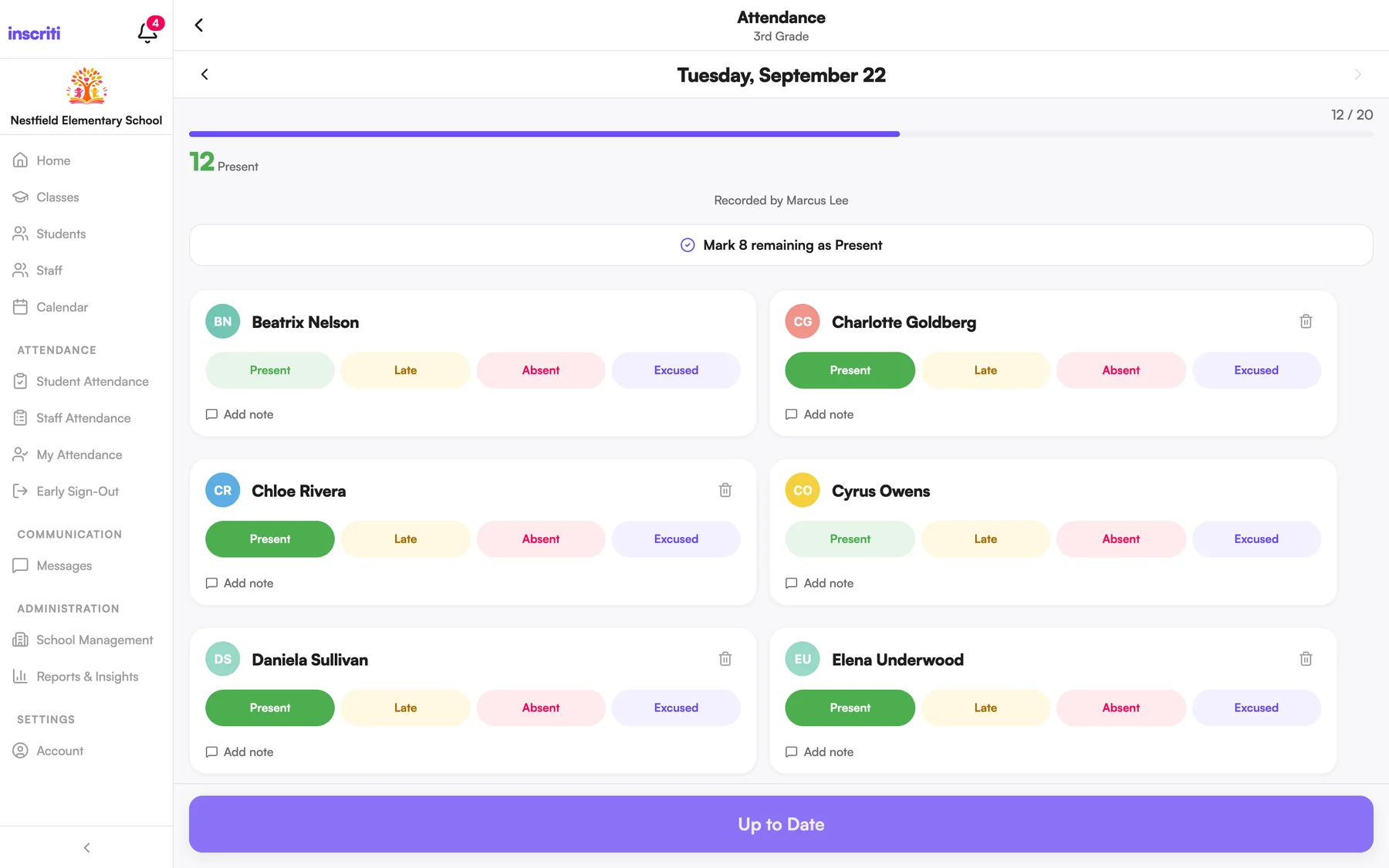
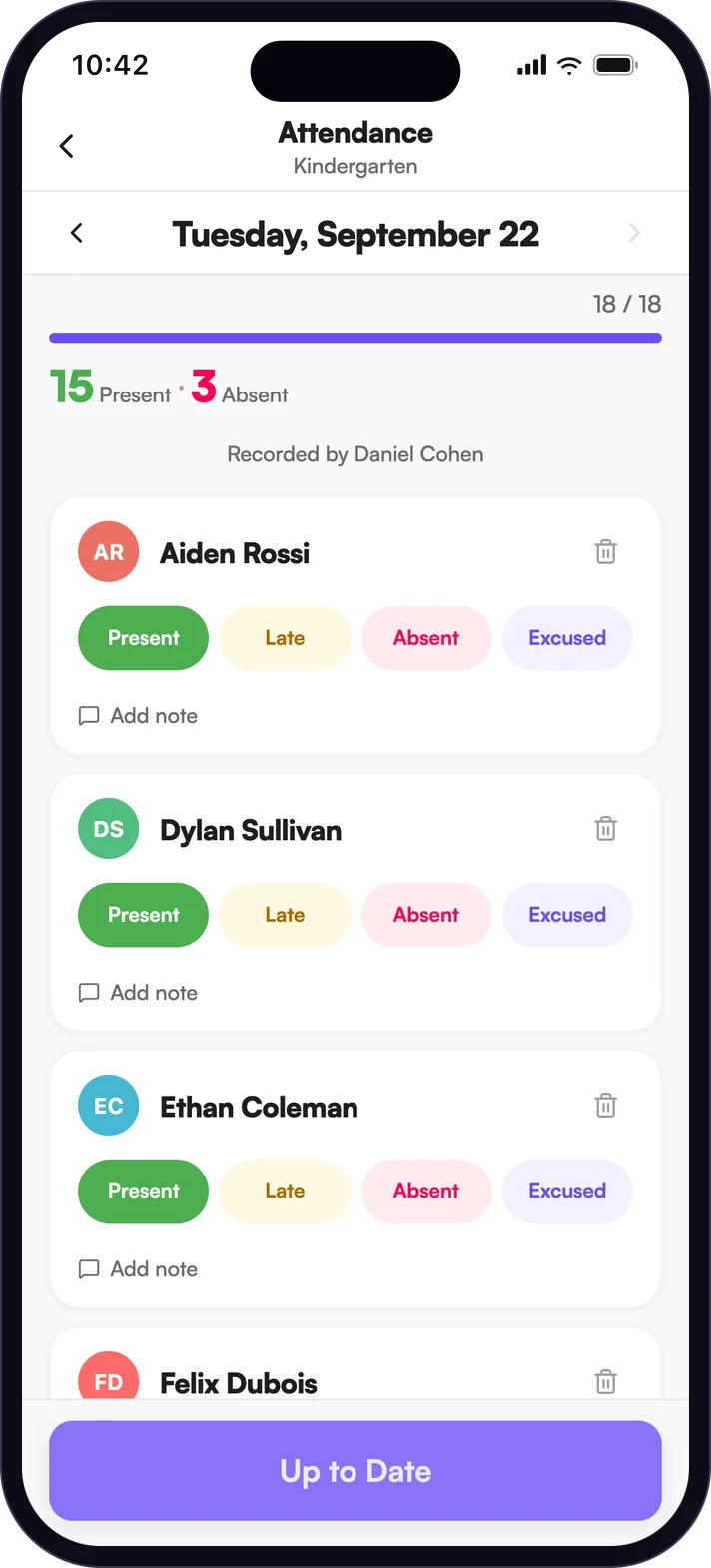
Attendance in the time it takes to look up.
Teachers mark each student present, late, absent or excused, add a note where one is needed, and set everyone left to Present in one tap. Classes set up for check-in and check-out can post one QR code that parents and students scan instead.
- Fix a mistake after saving
- See which students are absent right now
- Every student profile keeps its own attendance history
Early Sign-Out, without the clipboard.
A parent can tell the school from the app that their child is leaving early and who is collecting them. At the front desk, staff find the student, choose an approved pickup person, add a reason and hand over the iPad for a signature. If the person isn't approved, staff must confirm they have the parent's permission before going on.
- Student, class, pickup person, reason, time and signature are saved to the record
- Lock the iPad to the sign-out screen with a PIN before handing it over
- Attendance updates when a student is signed out
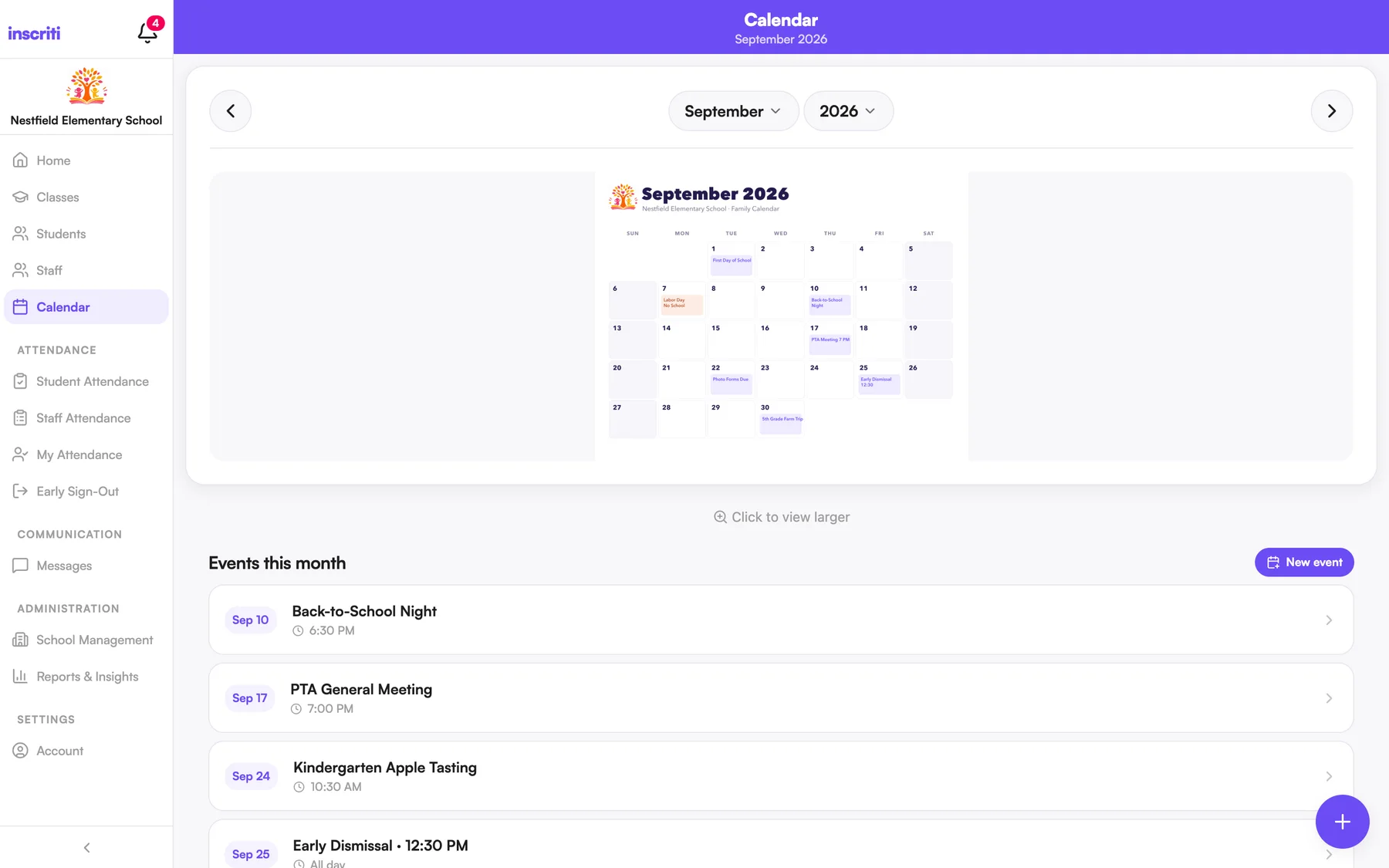
The calendar families can actually find.
Upload the monthly calendar your school already makes, and families flip through the months in the app. Schools that don't want it can turn the Calendar off.
- Admins upload and replace the calendar image for each month
- Tap to view the month full size
Reports you can hand over.
Reports & Insights covers attendance by class, by student and over time, absences, early sign-outs, rosters, contact lists, approved pickups and missing information. Pick a date range and the columns you want, export as CSV or PDF, and save the reports you run often.
- Student rosters with the student and family fields you choose
- Filter by date range and class, then pick your columns
- A report of pickups by someone who wasn't on the approved list
The details people ask about.
- QR check-in
- One code per class. Parents and students scan it to check in or out.
- Mark the rest present
- Mark the exceptions, then set everyone remaining to Present in one tap.
- Approved pickups
- Approved pickup contacts are listed on the kiosk, with their relationship.
- CSV and PDF
- Export attendance and sign-out history in either format.
- Student rosters
- Choose the fields, export to PDF, print.
- Optional features
- Calendar and Early Sign-Out can each be switched off.
See it with your own school in mind.
A short walkthrough with your team, mapped to how your school runs its day.